
Service pages lose people in a particular way. The visitor reads about the service, gets to the part where the price depends on their situation, and stops. They are not leaving yet, and they are not ready to fill in a long contact form either. They have a question that would take a person two minutes to answer.
A call-back request popup is built for that pause. It offers a short conversation instead of a commitment, and it appears only when the visitor has gone quiet on the page. This guide sets one up with the Call-back request design from the WidgetJar popup builder, using a sample interior design studio as the example.
What the visitor sees
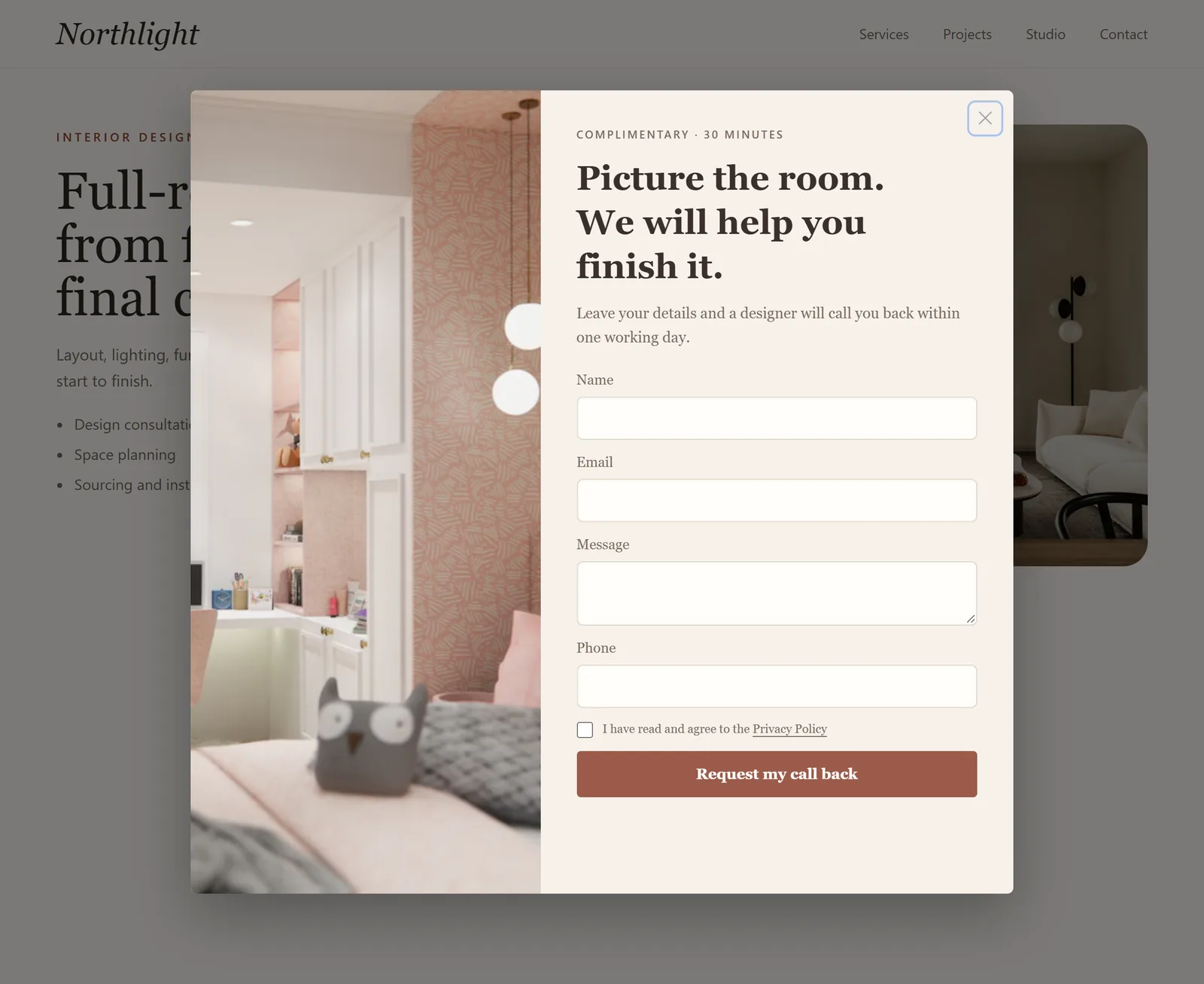
The design leans on three things:
- A low-pressure offer. "Complimentary · 30 minutes" in the eyebrow frames the call as help, not a sales pitch.
- A concrete promise. "A designer will call you back within one working day" tells the visitor what happens after they submit.
- A short form. Name, email, phone and an optional message. Nothing about budget, timeline or company size; those questions belong on the call.
The settings
| Setting | Value | Why |
|---|---|---|
| Trigger type | User inactivity, 20 seconds | Opens only after the visitor has stopped moving, scrolling, tapping or typing for 20 seconds. |
| Lead capture form | Contact | Collects name, email and a message. |
| Collect phone number | On | A call-back needs a number. Leave it off if you would rather reply by email. |
| Success message | "Thank you. We will call you within one working day." | Repeats the promise at the moment it matters. |
| Include pages | /services/* |
Service pages are where the hesitation happens. |
| Exclude pages | /contact |
Visitors already on your contact page do not need a second form. |
| Display policy | Once per session | One offer per visit is enough. |
Why inactivity, and how long to wait
Inactivity is a better signal than a timer on these pages. A fixed delay fires while people are still reading the first paragraph. Inactivity waits until they have stopped interacting: the timer resets whenever the visitor moves the pointer, clicks, presses a key, scrolls or touches the screen, so active readers never see the popup.
The trade-off is that slow readers also look inactive. Choose the duration by page length:
- Short service pages that can be read in under a minute: 15 to 20 seconds.
- Long pages with case studies or detailed pricing: 30 to 45 seconds, so people reading carefully are not interrupted mid-paragraph.
Watch the result in the first week. If the popup opens while people are obviously still reading, lengthen the duration before changing anything else.
Route the request to someone who will call
A call-back popup is only as good as the response behind it. Before publishing, decide who receives requests and how fast they act on them, then connect the widget so requests reach that person immediately:
- Slack or Discord for a team channel that someone watches during working hours.
- Zapier or Make to create a lead in your CRM or a row in a shared spreadsheet.
- Webhooks if you have your own system that should receive the submission.
Every request also appears in your WidgetJar dashboard. If nobody can reliably call back within one working day, change the promise in the copy and the success message to something you can keep, such as "within two working days". A broken promise costs more trust than a slower one.
Consent and the phone number
The form includes a required consent checkbox linked to your privacy policy, so the visitor explicitly agrees before anything is sent. Make your privacy policy say how you use phone numbers, and do not use a call-back request as permission to add someone to marketing calls later. Set the Privacy Policy URL in the builder to the right page before you publish.
Pair it with the form you already have
Most service sites already have a contact page with its own form. You do not need to replace it. If you want those submissions in the same place as your call-back requests, the Detected Form widget can connect the existing form to WidgetJar without rebuilding it, and both sources then reach the same Slack channel or CRM.
Pre-launch checklist
- On a service page, stop interacting for the chosen duration. The popup opens once.
- Keep scrolling and moving the pointer for a minute. The popup stays closed.
- Submit a test request with your own phone number. It arrives in the connected tool and the dashboard.
- Ask the person who will make the calls to confirm they saw the test request.
- Try to submit without ticking the consent box. The form asks for consent first.
- Visit the contact page and wait. Nothing opens.
- Complete the form with the keyboard alone, and check that the success message is announced.
If you are weighing other ways to collect consultation requests, Best Ways to Collect Consultation Requests from High-Intent Traffic compares the options, and HTML Form Labels: Write Clear Fields for Lead Forms covers the wording of each field.
Where WidgetJar fits
The Call-back request design is one of the starting points in the WidgetJar popup widget. Adjust the copy to match your service and response time, scope it to your service pages, connect the tool your team watches, and publish it with a single script tag.